Delete Files with the Druid Connector Host
The Delete File integration task enables the Druid Connector Host to delete a single file from a specific local disk or network location accessible by the host machine.
NOTE: This integration is available for Druid Connector Host version 9.13 and higher and is exclusively for hybrid and on-premises installations.
Add and configure the Read file integration
To set up the Delete File integration, follow these steps:
- Go to the desired connector action configuration page.
- Click on the Connector steps tab.
- In the top-right corner, click Create task > Files > Delete File.
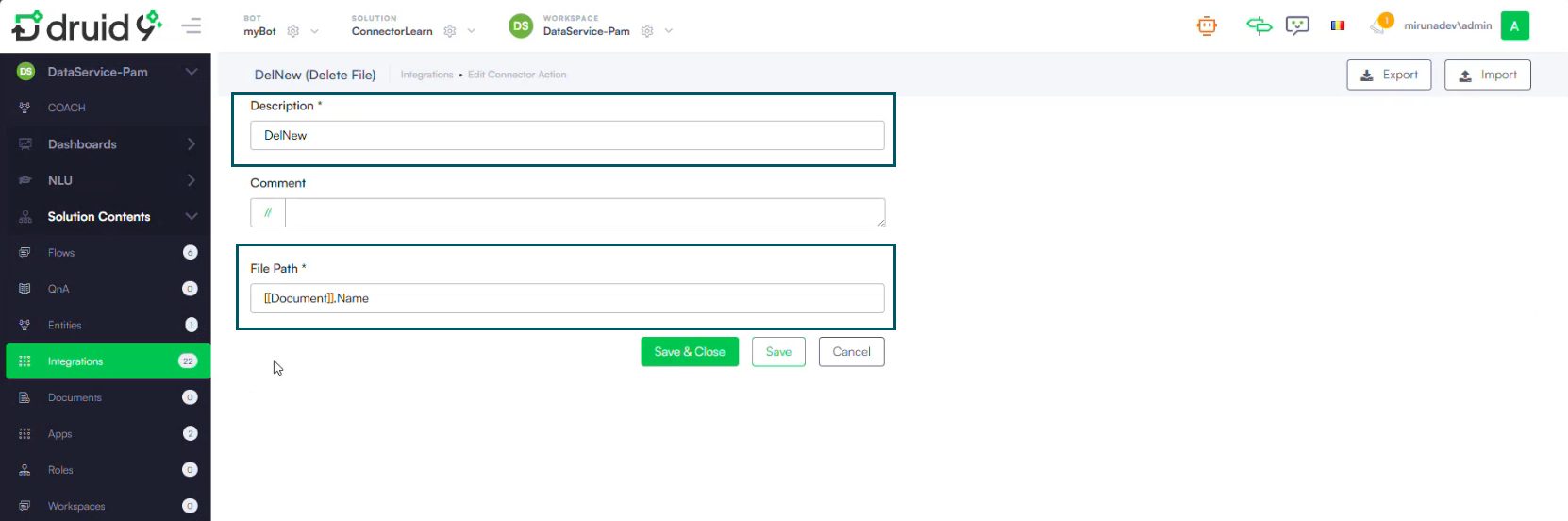
- Provide a short description for the task.
- In the File Path field, use the explorer selector to select the entity field that stores the name of the file you want to delete. For example, [[Document]].Name.
- Save and close the integration.
- Publish the integration.